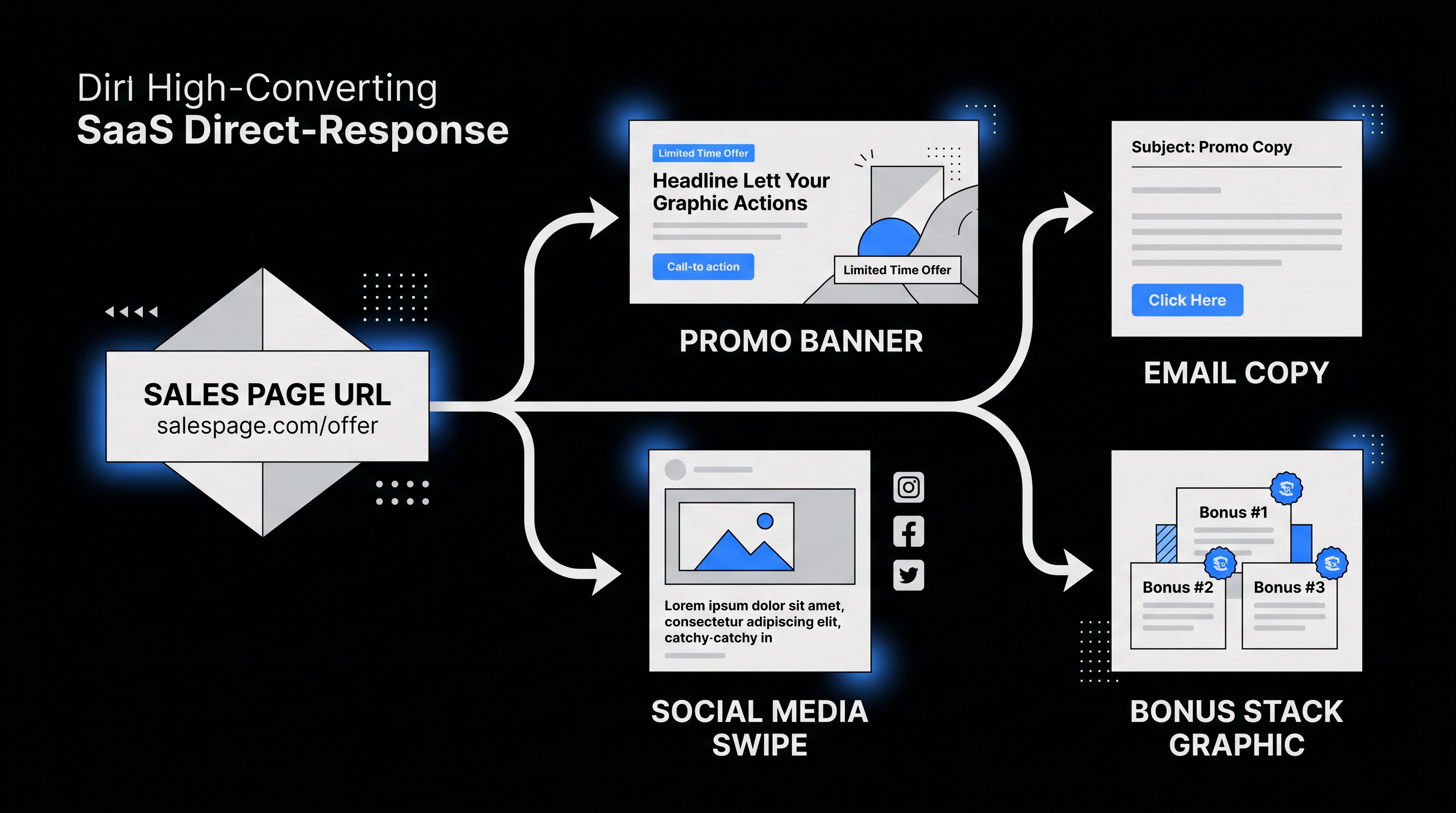
How to Turn Any Sales Page into a Complete Affiliate Marketing Campaign: Step-by-Step Guide with Promo Graphics & AI Promo Toolkit
Picture this: a sizzling product launch drops, affiliates scramble for promo materials, but you're light-years ahead. You snag the sales page URL, plug it into your toolkit, and boom—professional promo graphics, email swipes, and social media graphics spill out, ready to hijack the launch and rake in commissions. No design skills. No copywriting marathons. Just pure, automated firepower for your affiliate marketing campaign.
In the cutthroat world of affiliate marketing, speed kills the competition. Launch hijacking demands you move faster than the crowd, turning a single sales page into a full-blown sales page to campaign machine. Enter the AI Promo Toolkit—a game-changer for affiliate marketers, digital creators, and savvy hijackers. This workflow extracts headlines, hooks, and hot buttons from any URL, then spits out customized assets. We're talking promo graphics that convert, email swipes that open, and social media graphics that stop scrolls. Let's dive into the step-by-step guide to build your affiliate promo toolkit.
Why Transform Sales Pages into Campaigns? The Affiliate Edge
Traditional affiliates waste hours screenshotting sales pages, rewriting copy, and begging for graphics. That's amateur hour. With AI Promo Toolkit, you reverse-engineer the seller's proven funnel. Their headlines become your hooks. Their testimonials fuel your proof. Result? Campaigns that mirror the source while injecting your affiliate link—maximum trust, minimal effort.
For launch hijacking, this is dynamite. Hot launches like ClickFunnels upgrades or SaaS drops explode with traffic. Be first with polished assets, and you dominate feeds and inboxes. Data shows affiliates using pre-made swipes convert 3x better. Now, automate it all.
Step 1: Grab the Sales Page URL and Feed It to AI Promo Toolkit
Start simple. Spot a launch via Facebook groups, Twitter buzz, or JV pages. Copy the live sales page URL— the one with video, bullets, and buy button. Avoid previews; real pages have live copy.
- Open AI Promo Toolkit dashboard.
- Paste the URL into the Sales Page Analyzer.
- Hit Extract Assets. In seconds, it scrapes headlines, benefits, objections, and CTAs.
Pro tip: For launch hijacking, time it right. Analyze 24-48 hours pre-launch for early bird positioning. The toolkit tags urgency elements like "limited spots" automatically.
Step 2: Generate Promo Graphics That Pop
From URL to Visual Goldmine
Graphics make or break shares. AI Promo Toolkit's generator pulls extracted copy and crafts promo graphics in your brand style—banners, stories, posts.
- Select template packs: Facebook ads, Instagram carousels, Pinterest pins.
- Customize with affiliate link placeholders.
- One-click variations: 10 graphics per style, optimized for 1:1, 9:16 ratios.
Real workflow hack: Enable "Swipe-Proof" mode. It adds subtle watermarks and unique angles, preventing copycats from stealing your edge.
Step 3: Convert Sales Copy into Killer Email Swipes
Emails drive 40% of affiliate sales. Don't rewrite—repurpose. The toolkit's Email Swipe Converter transforms sales page sections into sequences.
- Bullets become benefit-packed broadcasts.
- Testimonials slot into trust-builders.
- CTAs get your link injected seamlessly.
Output: 5-7 email swipes—teaser, story, urgency, FAQ closer. Format-ready for ActiveCampaign or Klaviyo. Testimonial: Affiliates report 25% open rate bumps from these polished sequences.
"It's like having the seller's copywriter on speed dial."
Step 4: Format Social Media Graphics and Swipes for Virality
Thread-Ready, Feed-Dominating Assets
Social is your hijack highway. Toolkit bundles social media graphics with tweet threads, LinkedIn carousels, TikTok captions.
- Generate swipe copy: Short hooks, long threads.
- Pair with graphics: Animated GIFs from statics.
- Export packs: Platform-specific zips.
Bonus: Hashtag optimizer pulls trending ones from the niche. Post Day 1 teaser, Day 2 proof, Day 3 urgency—watch engagements soar.
Step 5: Deploy Your Complete Affiliate Marketing Campaign
Assets ready? Deploy. Blast emails, schedule social, run ads. Track with UTM links baked in by the toolkit. Iterate: Re-run on V2 pages for refreshes.
Practical takeaways:
- Always A/B test two graphic variants.
- Segment lists: New vs. warm leads get different swipes.
- Scale: Reuse workflow for evergreen offers.
Launch Hijack Like a Pro: Final Tips
Compliance check: Disclose affiliations. Brand consistently. Monitor seller updates—toolkit re-scrapes easily. This sales page to campaign workflow isn't just fast; it's your unfair advantage in affiliate wars.
Ready to dominate? Fire up AI Promo Toolkit, paste that URL, and turn spotting into selling. Your next big commission awaits.
